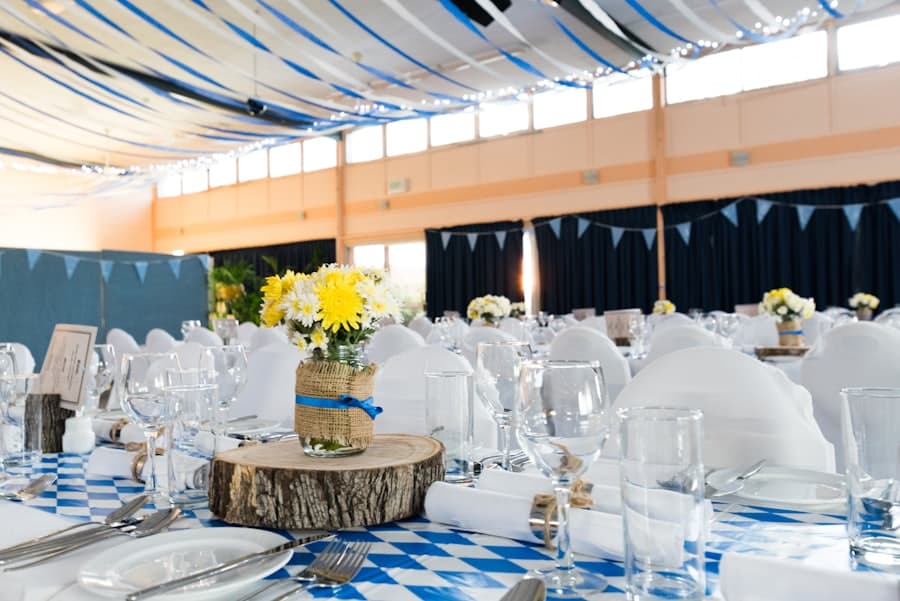
Count the apps your attendees installed for your last conference. It was probably one, the agenda app, and some of the room opened it in a browser instead. That is the real baseline for anything you ask five hundred people to do with their phones, and it is why conference photo sharing has to start from the camera they already have open rather than from a download.
Why the app rollout fails at a conference
Every step between "I took a photo" and "the photo is in your album" costs you contributors. At a conference the steps stack fast: an install, a store password nobody remembers standing up, an account, a confirmation mail sent to a work address that is locked behind a VPN on a laptop in the hotel room. Attendees do this between sessions, one-handed, holding a coffee. Most will not finish.
The people you most want to hear from are the least likely to finish. The sponsor rep working a booth, the speaker's colleague filming from the wings, the exec doing a walkthrough: all of them have a full day and no patience for onboarding. Plenty of them also carry a managed device that will not install an unapproved app at all.
So the working answer is not a better app. It is no app: a code, a browser, an upload. That is the whole rollout, and it is the same rollout whether the room holds forty people or four thousand.
One code on the lanyard, the stage, the booth
A code gets scanned in three kinds of place: where people wait, where people sit, and where people look up. At a conference that maps to the back of the badge, the holding slide before every talk, and the booth backdrop or the step-and-repeat.
Pick all three. The badge catches the hallway shots, the holding slide catches the room while it is still filling, and the booth catches the sponsor activations you will want most in the recap. What you say next to the code matters more than the code itself, and the guest upload kit has the lines to copy for a slide, a sign and the attendee email.
Verified or unverified: the sponsor-safe setting
Every new event ships with An email first turned on. A guest confirms an email with a one-tap code, and that single tap is the whole sign-up: no password, no form, no app. What you get in exchange is attribution you can trust. Every upload has a name behind it, confirmed, which is exactly what you want when a photo is going into a sponsor report, a press folder or a recap deck.
That is the sponsor-safe album: contributions you can point to, in a feed you approve. For an internal meetup or a community social where nobody wants to confirm an email between talks, you can turn the setting off for that one event: a guest still types a display name, but it carries a small unverified mark instead of a confirmed one. It is a per-event call, not an account-wide one, so a casual event and a flagship summit can be run differently.
Decide this before the badges print
The setting is easy to flip later, but the announcement is not. If your attendee email says "no sign-up needed" and the event asks for an email confirmation, you have created a support question a hundred times over. Write the announcement after you make the call.
Review before anything gets reshared
Turn review on and uploads wait for approval before they appear in the public album. For an event with a brand team, this is the difference between a feed you can put on a screen in the lobby and a feed you have to watch.
Reviewing is built to be skimmed rather than clicked through. The queue is one scroll, and Approve all is the fast path when nothing needs a second look, which is most of the time. The exceptions get hidden or removed on the way past. Curating an album covers the mechanics and curation shows the shape of it; the judgment call is just how public the screen is.
For an internal event, live mode is usually fine and more fun. For anything with sponsors, press or a lobby display, review earns its keep.
The comms team's morning after
The recap is written by someone who was not in every room, which is the point of collecting the photos in the first place. When they sit down, they need everything in one download, at full size.
Download opens Take it home, and its two sets let the video editor and the newsletter writer each take what they need. Originals packages the album as one zip, photos and video together, the way they went in. Phone size is the photographs alone, light enough to drop straight into the newsletter. As the host you can also choose Include hidden items to pull the ones you kept out of the public album but still want in the archive. Originals come out up to 10 GB each, with no re-compression on the way through. Downloading photos, videos and albums has the details.
The album itself stays at the same link, so the recap email and the sponsor follow-up can both point at it instead of attaching anything.
A plan for a program of events
One summit is one event, and a single pass covers it. A program is different: a season of user groups, roadshows, a partner summit and the internal offsite in between. Pro covers unlimited events on one account, which is the shape most events teams need, and the yearly cadence is the one that matches a budget cycle. The full argument for pricing by storage instead of by headcount is in corporate event photo sharing, and the offsite version of this playbook is in company offsite photos.
Start with the next event on your calendar. Read what Partyreel does for conferences, decide the accounts question, then send the code and the line that goes with it to whoever owns the stage deck. It fits in one email.